Plan a term in one tap
Add a course, choose the days, and HomeSchool Scribe lays out the lessons around your breaks. Photograph or paste a book’s contents page and it becomes a term.


Homeschool planner · iPhone and iPad

Attendance, hours, grades, transcripts, portfolio, and your state's paperwork, kept for you in your own iCloud. No accounts, no servers, nothing to keep up with but the lessons.
How it works
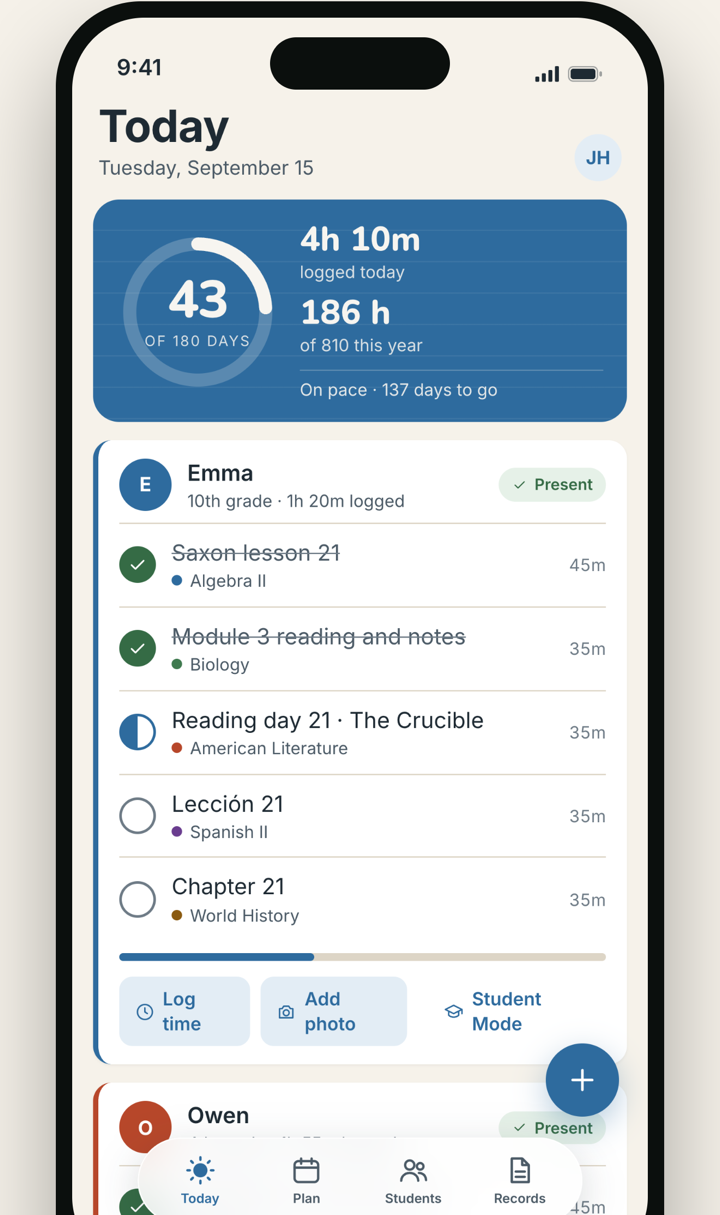
HomeSchool Scribe turns the thing you already do every morning, checking off lessons, into the records your state, an evaluator, or a college will ask for later.
Add a course, choose the days, and HomeSchool Scribe lays out the lessons around your breaks. Photograph or paste a book’s contents page and it becomes a term.
Check a lesson and the child is marked present, the time spent on school is recorded, and work to be graded goes on Your desk. A field trip for all four children is one entry. Every child on one screen; kids get their own list.

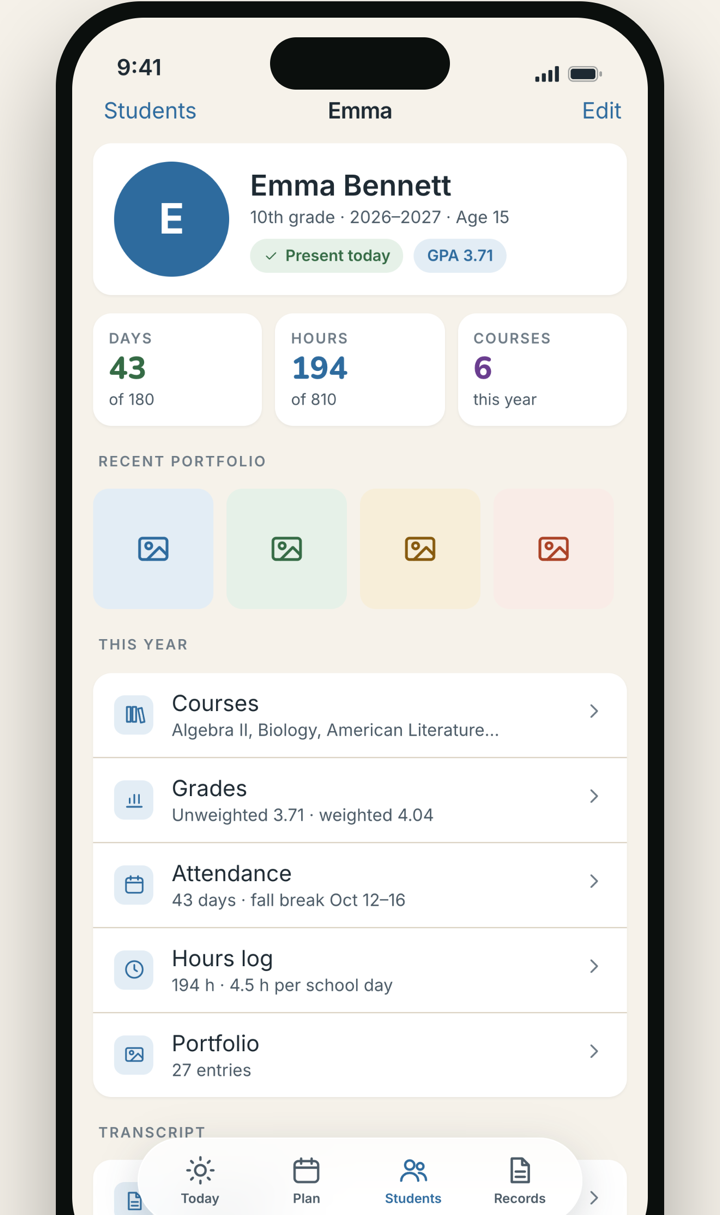
Attendance reports, report cards, transcripts with GPA, portfolios, and your state's filings, as PDFs, with reminders before they're due.

Records
Every document a homeschool gets asked for, drawn from the same check marks. Print any of them the day someone asks.
High school transcript
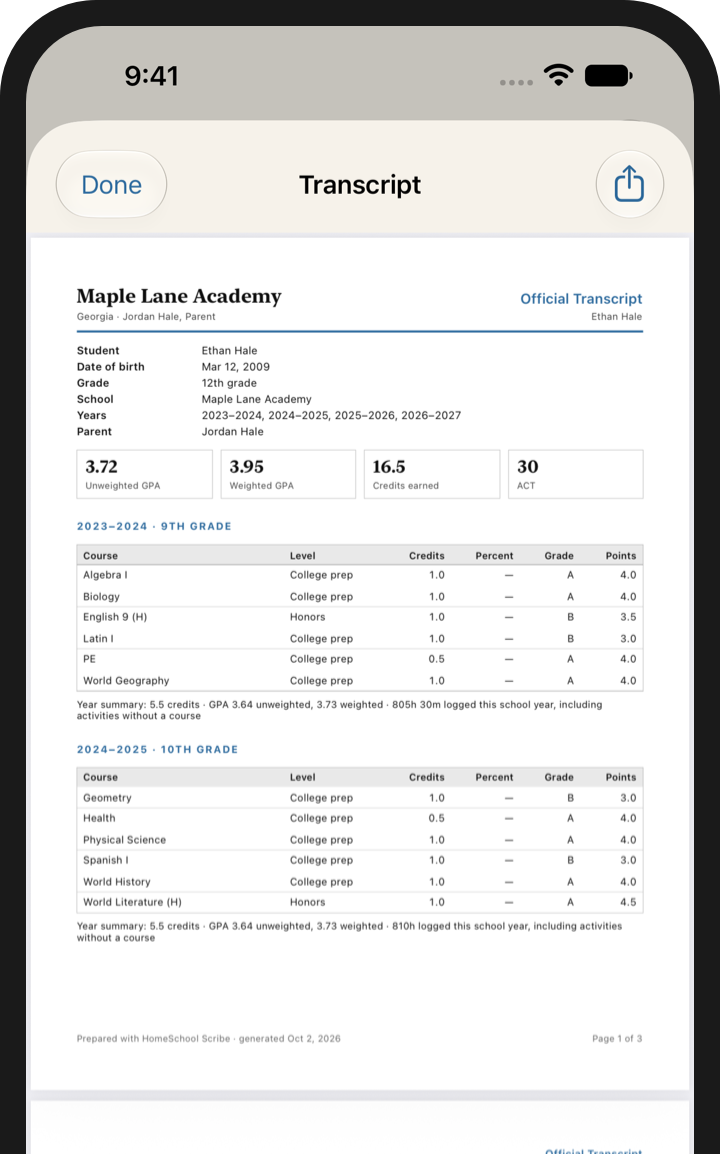
Every high-school course you grade feeds the transcript. By the time someone asks for it, it's already written: no rebuilding high school from a shoebox in senior year.
Where it comes from
Each high-school course carries its credits, and they print on the transcript.

Check off a lesson and graded work waits on Your desk. Any grade you enter updates the course.

Test scores and activities print with the courses, as a PDF.

They go in as finished courses: name, level, credits, a letter grade.

Watch
A short film about one homeschool family's high school years.
The rest of the day
The nature walk, the art on the fridge, the week that went well. They count, and they print.
A photo or a short clip of the work, a line about it, filed by child, course, and date. It prints with the captions, and the files sit in Files for whenever you need them.

A field trip, a co-op afternoon, a museum: log it once for everyone, and each child is marked present with the hours counted.

A card of the week or the month, with the days, the lessons, the hours, and the work that got made. Share it with the grandparents or keep it.

Your state
HomeSchool Scribe carries a plain-language summary for all fifty states and DC, keeps a calendar of your deadlines, and prepares the documents from your records. Summaries, not legal advice; every summary links to its source.
All fifty states and DC. The app keeps the calendar, reminds you before every date, and prepares the documents. Read the guide for every state.
Student Mode
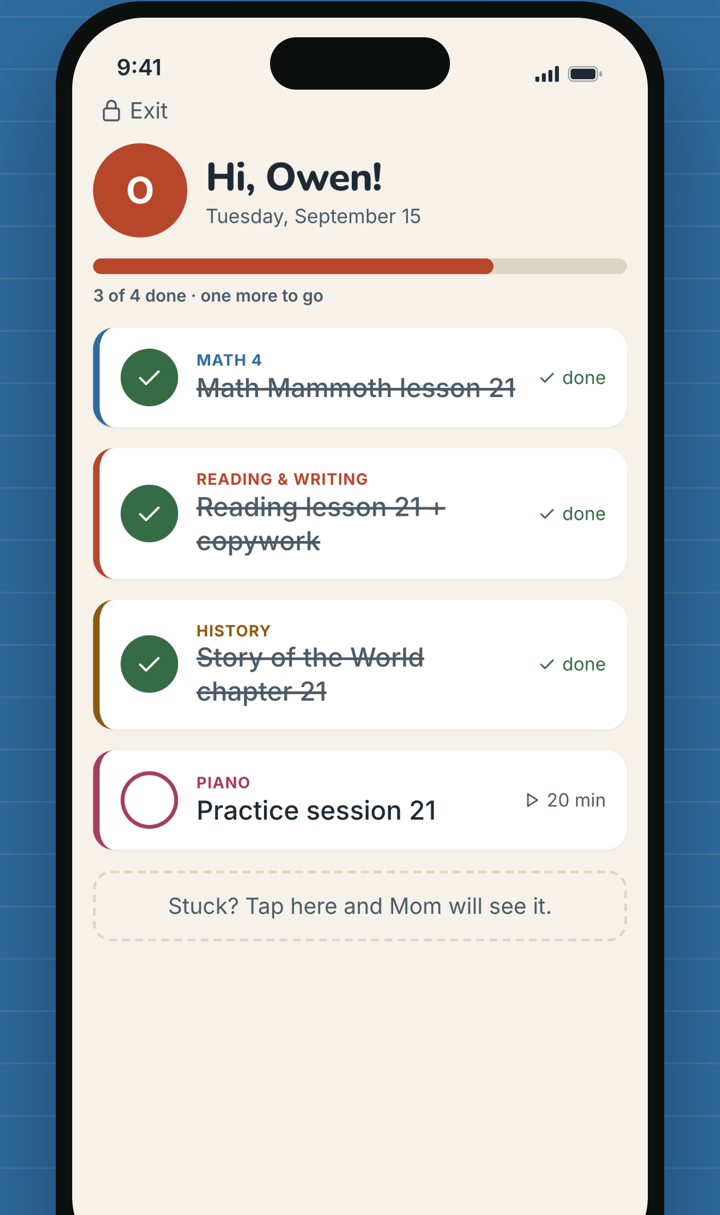
Hand over the iPad and each child sees only their day: big checkboxes, a timer for the lesson they're on, and a button that tells you when they're stuck. A parent PIN keeps the rest of the app closed.
Their check marks become your attendance and hours, and the timer feeds the hours log, so the record is kept without anyone keeping it.
Pricing
Everything is open for your first 14 days, no card needed. After that, your records stay readable and exportable; adding or changing records and generating reports takes Scribe Plus. Unlimited students, every feature, Family Sharing on.
Purchases are handled by the App Store and shared with your family through Family Sharing. Prices in US dollars; local prices vary.
Privacy
HomeSchool Scribe has no accounts and no servers. Your records sync between your devices through your own iCloud account, and the app never sends your records to us. It has no analytics and shows no ads, and it never sees names or your children's information. Student Mode collects nothing about your children.
Progress summaries are drafted on your iPhone from the report card's own numbers, and you edit them before they print; nothing is sent anywhere. Your copies are ordinary files in Files, not a format only this app can open.
Made by a homeschooler
I was homeschooled. Every summer, before the school year started, my mom spent weeks at the kitchen table writing out the whole year by hand, one child at a time: a folder for each of us, a page for each subject, every assignment with its page numbers and the problems to do. Each morning I opened my folder and checked things off. She never complained, but I saw the weeks it took, and I saw her do it again the next summer.
HomeSchool Scribe is that folder, and those weeks, in your pocket. Add a course, pick the days, and the year lays itself out. Check off the day and the records write themselves, so the weeks she spent on paper can go back to your kids. It's built in Villa Rica, Georgia, by a homeschool graduate who wanted every homeschool mom to have it a little easier than mine did. We read every message and answer every one. Taking good care of the families who use HomeSchool Scribe matters to us as much as the app itself.